OpenCode

Prerequisites

Follow the official documentation to install either the command-line version or the desktop version of OpenCode. Supported platforms: macOS, Windows, and Linux. For pricing ratios of GPT (CodeX) and other models, please refer to Models & Pricing.

Locate the OpenCode Configuration File

macOS / Linux: ~/.config/opencode/opencode.json Windows: %APPDATA%\opencode\opencode.json or <User Home Directory>\.config\opencode\opencode.json

Configure GPT / CodeX Models

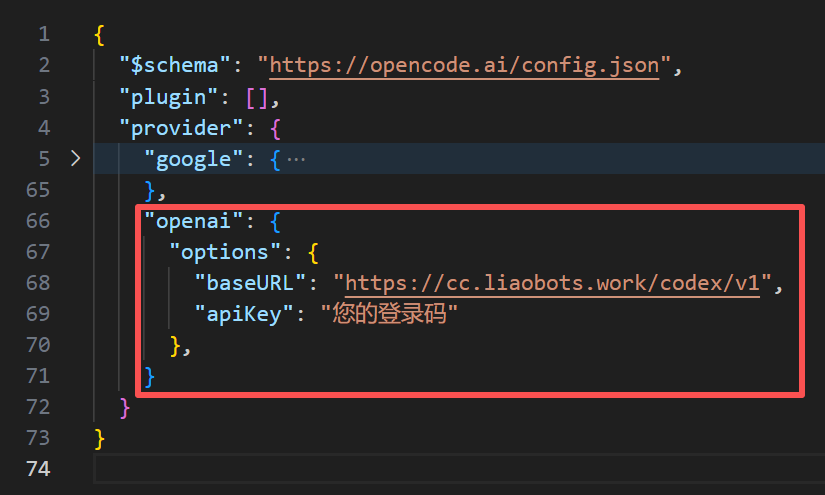
Modify opencode.json as shown below: CodeX Update the OpenAI provider configuration:
"openai": {
  "options": {
    "baseURL": "https://cc.liaobots.work/codex/v1",
    "apiKey": "YOUR_AUTHCODE"
  }
}
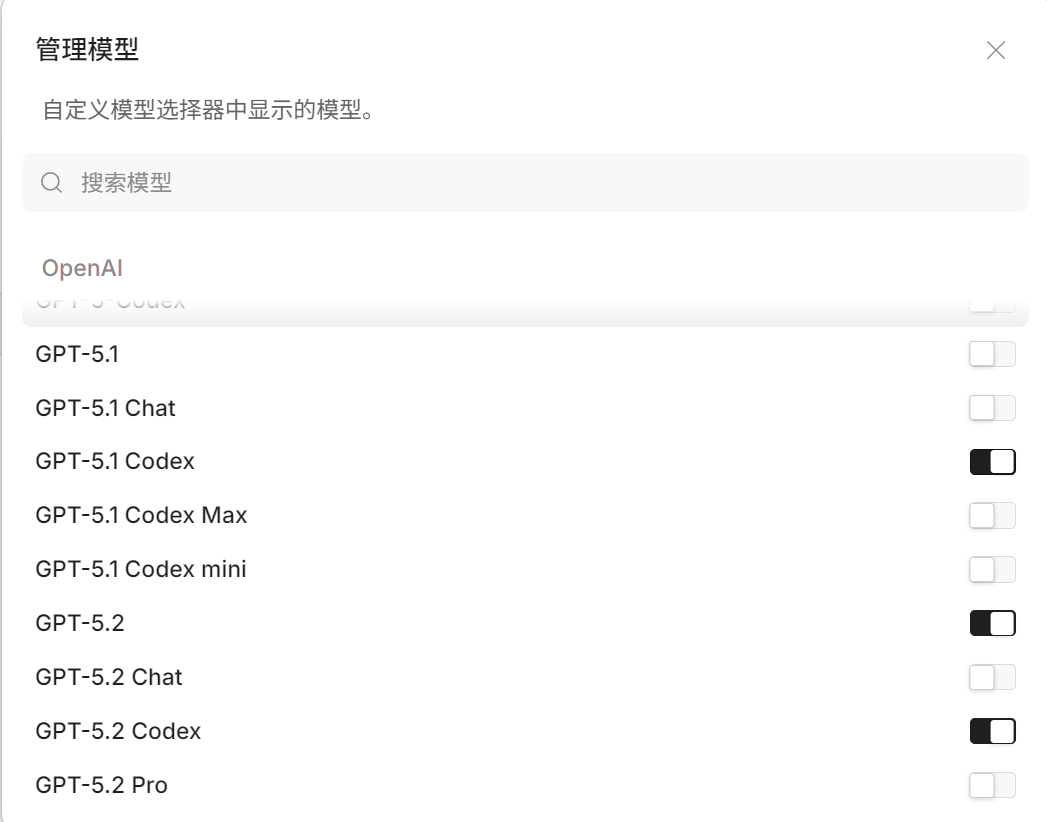
Adjust the default GPT model selection menu in OpenCode to match the following: gpt-models

Configure Claude Models

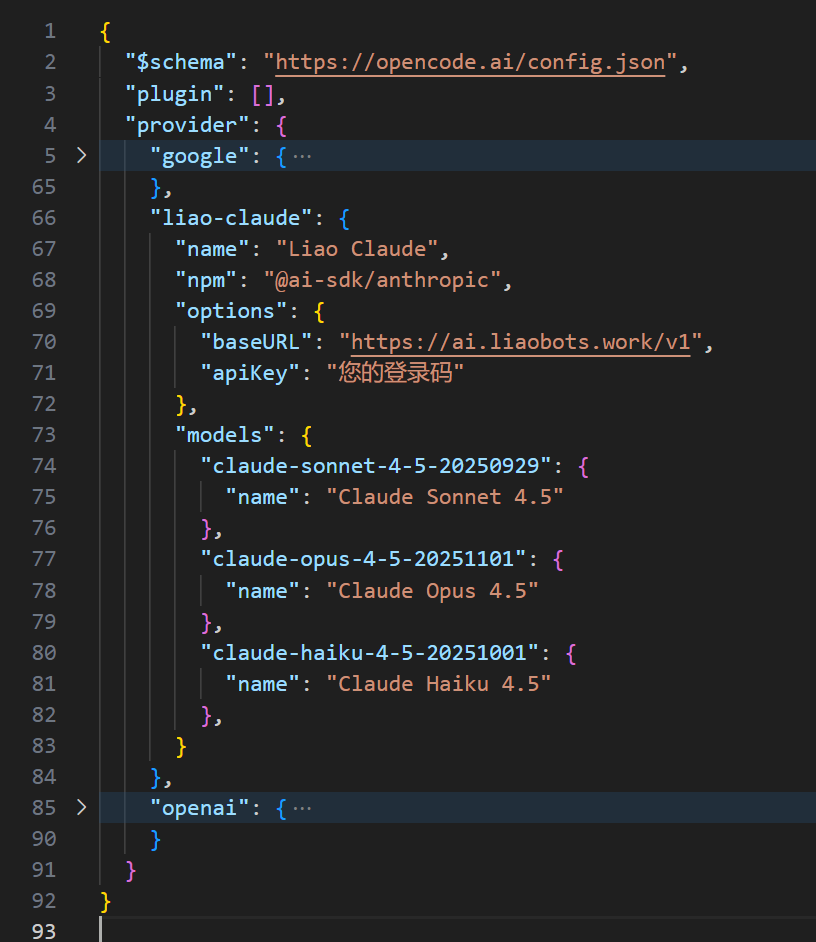
Claude Add a custom Claude provider:
"liao-claude": {
  "name": "Liao Claude",
  "npm": "@ai-sdk/anthropic",
  "options": {
    "baseURL": "https://ai.liaobots.work/v1",
    "apiKey": "YOUR_AUTHCODE"
  },
  "models": {
    "claude-sonnet-4-5-20250929": {
      "name": "Claude Sonnet 4.5"
    },
    "claude-opus-4-5-20251101": {
      "name": "Claude Opus 4.5"
    },
    "claude-haiku-4-5-20251001": {
      "name": "Claude Haiku 4.5"
    }
  }
}

Configure Gemini Models

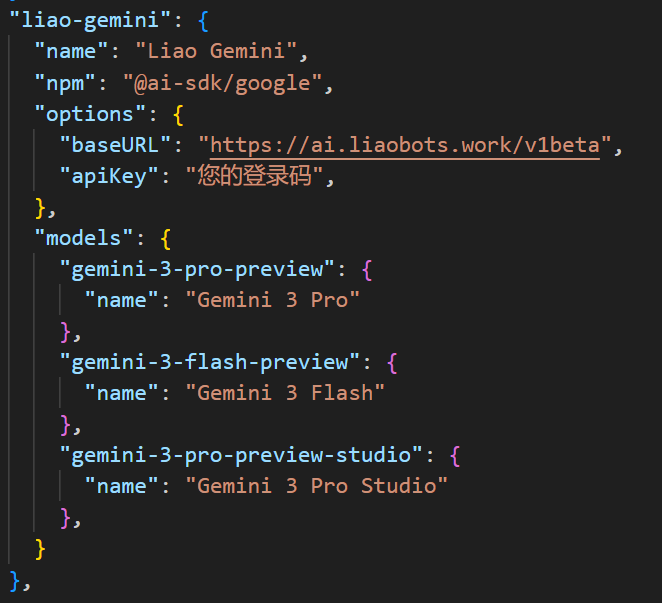
Gemini Add a custom provider:
"liao-gemini": {
  "name": "Liao Gemini",
  "npm": "@ai-sdk/google",
  "options": {
    "baseURL": "https://ai.liaobots.work/v1beta",
    "apiKey": "YOUR_AUTHCODE"
  },
  "models": {
    "gemini-3-pro-preview": {
      "name": "Gemini 3 Pro"
    },
    "gemini-3-flash-preview": {
      "name": "Gemini 3 Flash"
    },
    "gemini-3-pro-preview-studio": {
      "name": "Gemini 3 Pro Studio"
    }
  }
}

Configure Other OpenAI-Compatible Models

Add a custom provider:
"liao-xxx": {
  "name": "Liao xxx",
  "npm": "@ai-sdk/openai-compatible",
  "options": {
    "baseURL": "https://ai.liaobots.work/v1",
    "apiKey": "YOUR_AUTHCODE"
  },
  "models": {
    "xxx": {
      "name": "xxx"
    }
  }
}