> ## Documentation Index
> Fetch the complete documentation index at: https://liaobots.mintlify.site/llms.txt
> Use this file to discover all available pages before exploring further.
# New Features
> Liaobots is committed to working with AI to create a platform that can solve practical problems and has rich features. On this page, you can get our latest features first
### Multi-Voice Reading
After activating the button in the input box, each reply from the model will generate emotionally rich multi-voice reading audio
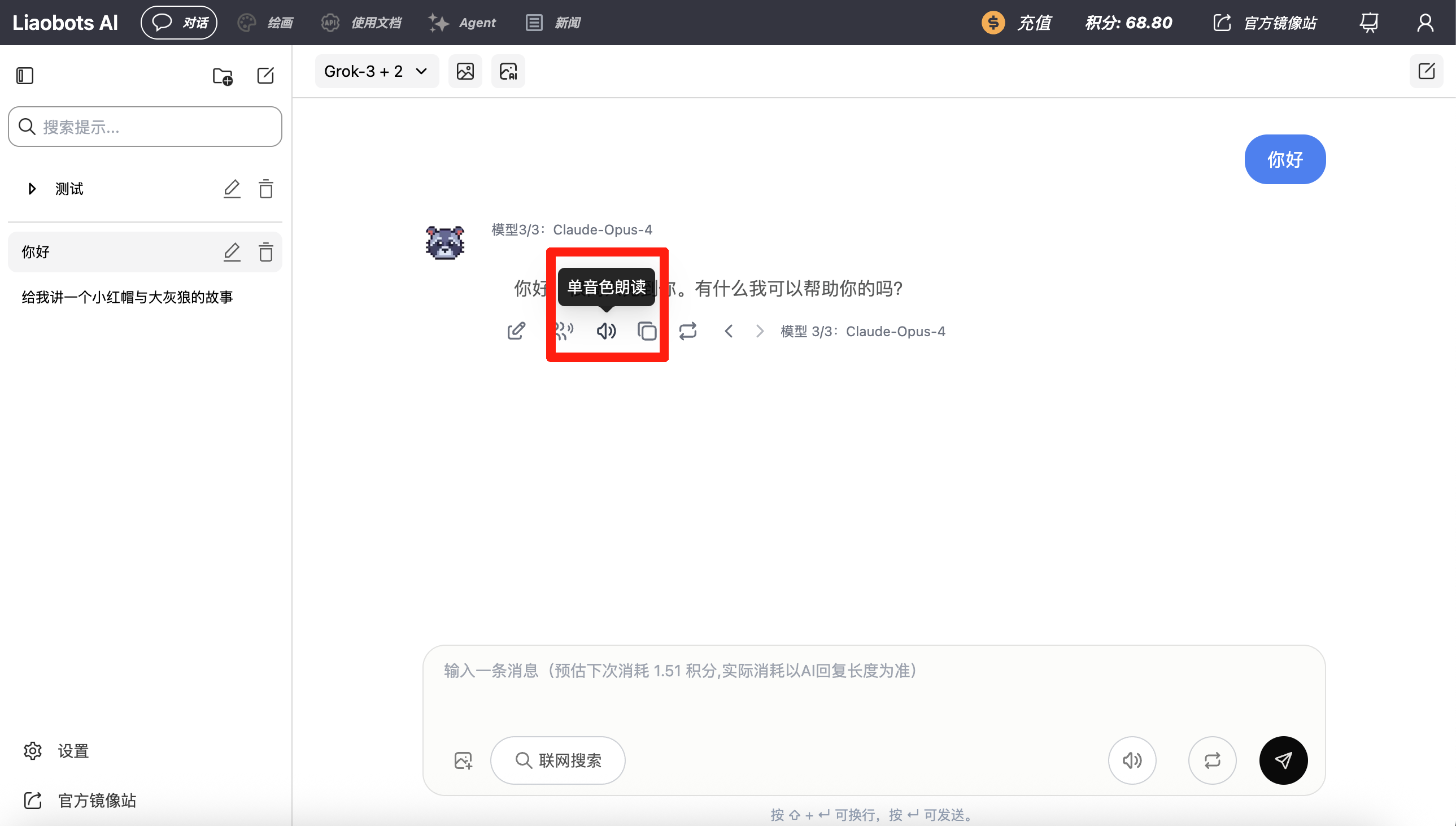
Or you can click the multi-voice reading button after a reply to generate audio for a specific reply
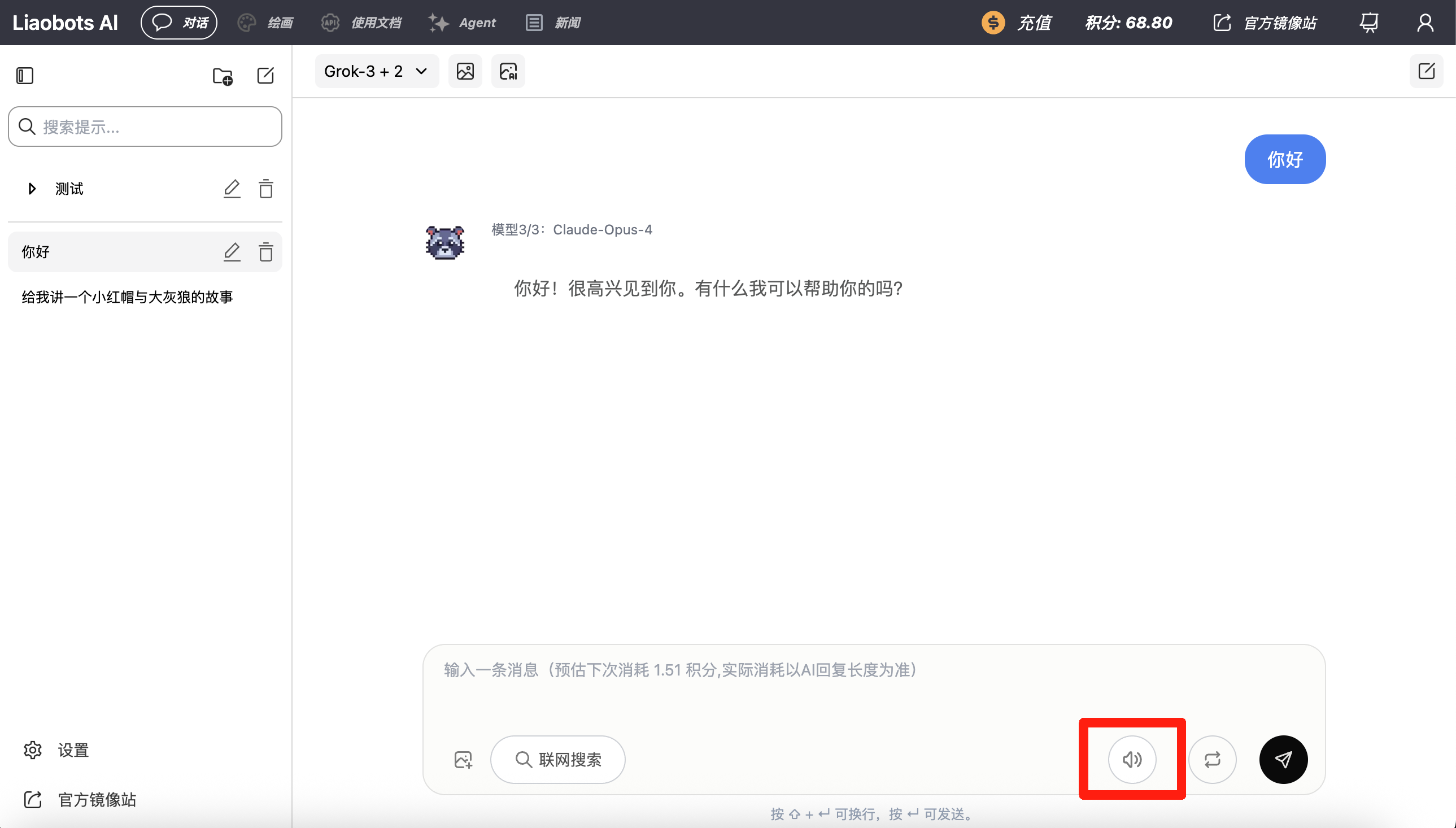 **Pricing (multi-voice / streaming multi-voice / custom voice synthesis)**: charged by text length in blocks of **500 characters for 0.25 credits**. Partial blocks count as a full block (e.g. 1–500 chars = 0.25, 501–1000 chars = 0.50). Character counting matches on-site reading rules (CJK per character; English words roughly count as one unit).
For audio only, you can use the cheaper **single-voice reading** at **0.05 credits per generation**.
**Pricing (multi-voice / streaming multi-voice / custom voice synthesis)**: charged by text length in blocks of **500 characters for 0.25 credits**. Partial blocks count as a full block (e.g. 1–500 chars = 0.25, 501–1000 chars = 0.50). Character counting matches on-site reading rules (CJK per character; English words roughly count as one unit).
For audio only, you can use the cheaper **single-voice reading** at **0.05 credits per generation**.
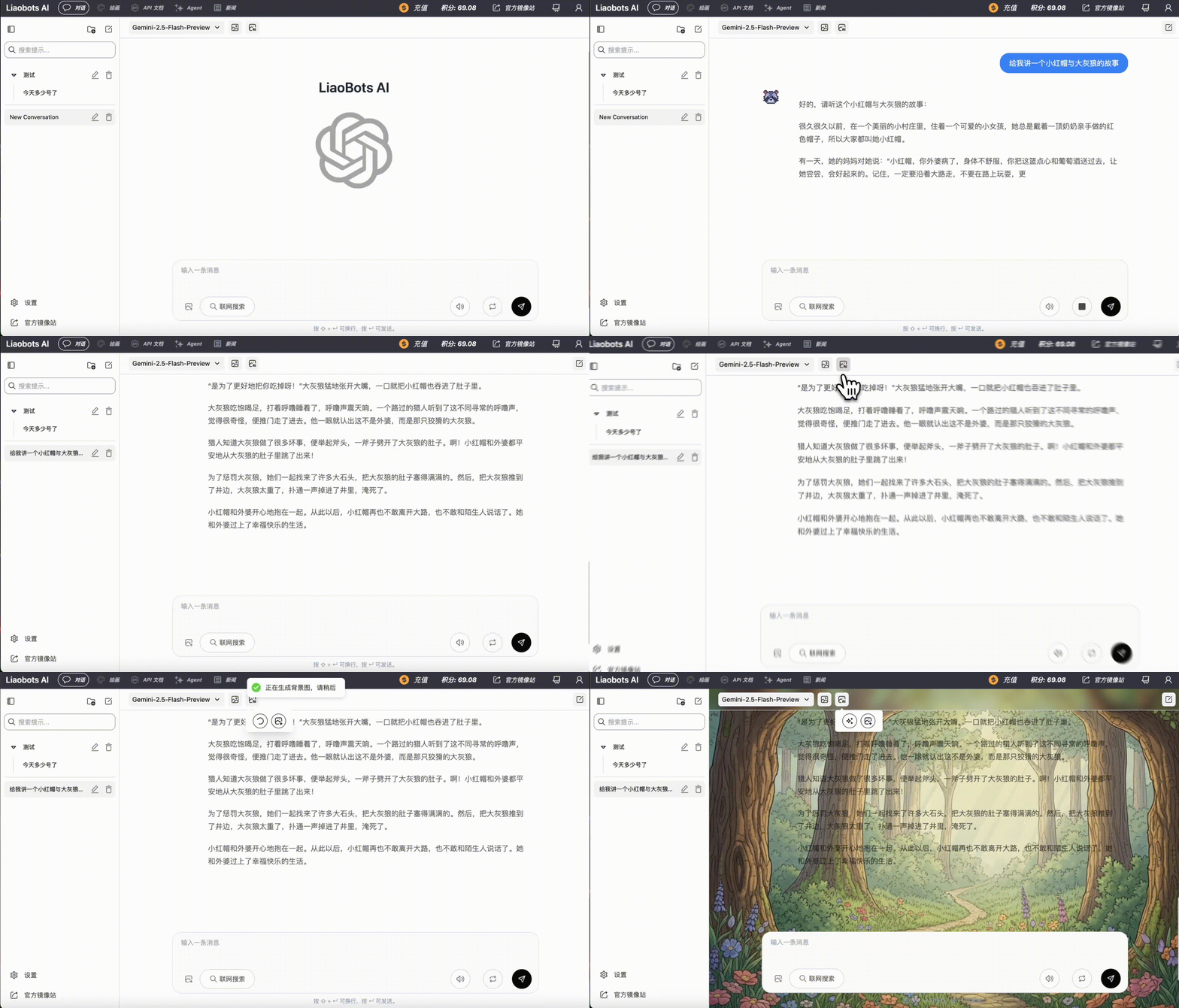
 ### AI Real-time Background Image Generation
After enabling this feature, the chat background will generate background images that match the context in real-time based on AI's replies
Giving you a more immersive conversation experience with AI
### AI Real-time Background Image Generation
After enabling this feature, the chat background will generate background images that match the context in real-time based on AI's replies
Giving you a more immersive conversation experience with AI
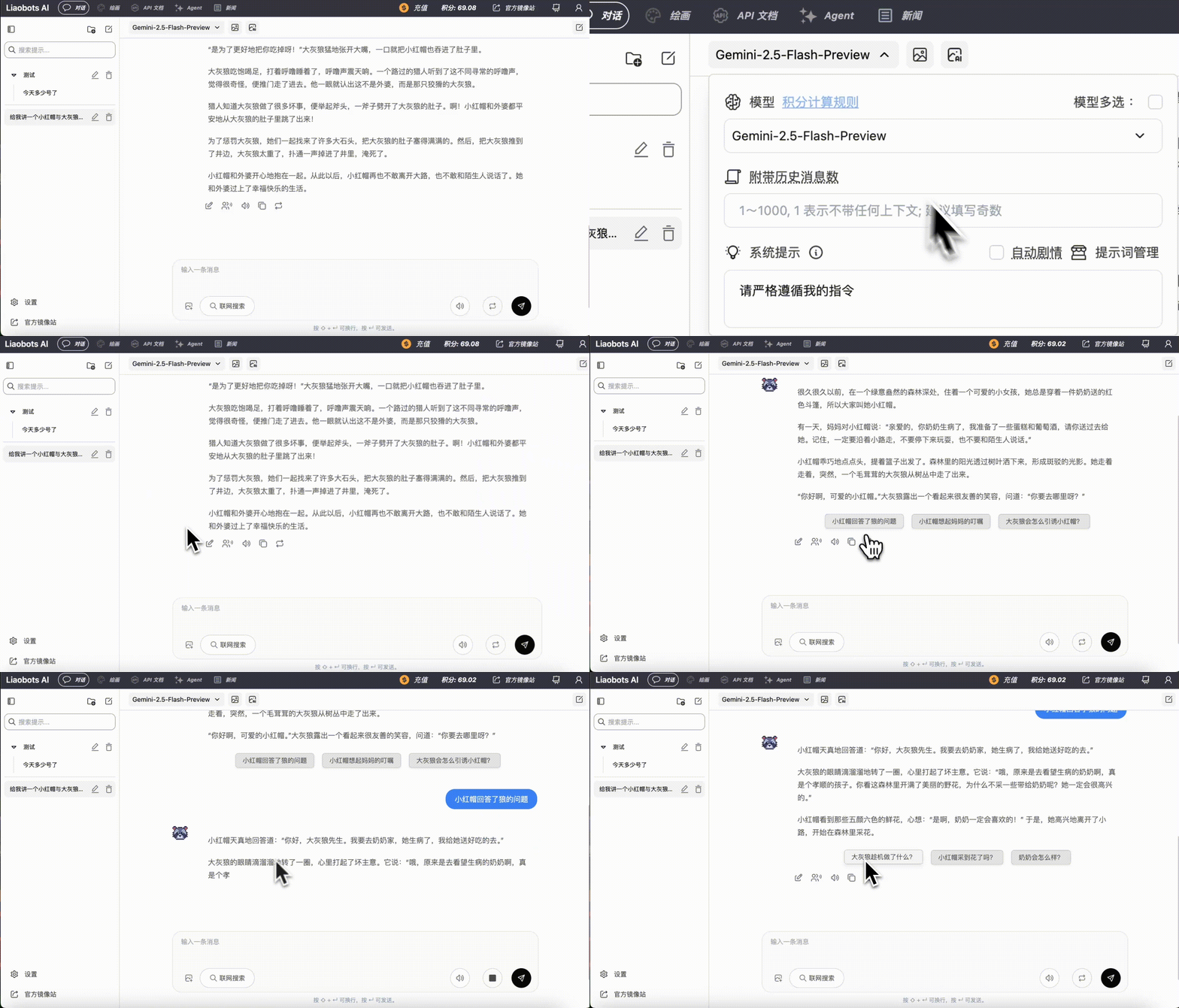
 ### Auto-Advance Plot
After enabling this feature, AI will predict the next few plot directions when interacting with you and provide you with several recommended buttons
Clicking the button will send the corresponding request to AI to automatically advance the plot
### Auto-Advance Plot
After enabling this feature, AI will predict the next few plot directions when interacting with you and provide you with several recommended buttons
Clicking the button will send the corresponding request to AI to automatically advance the plot
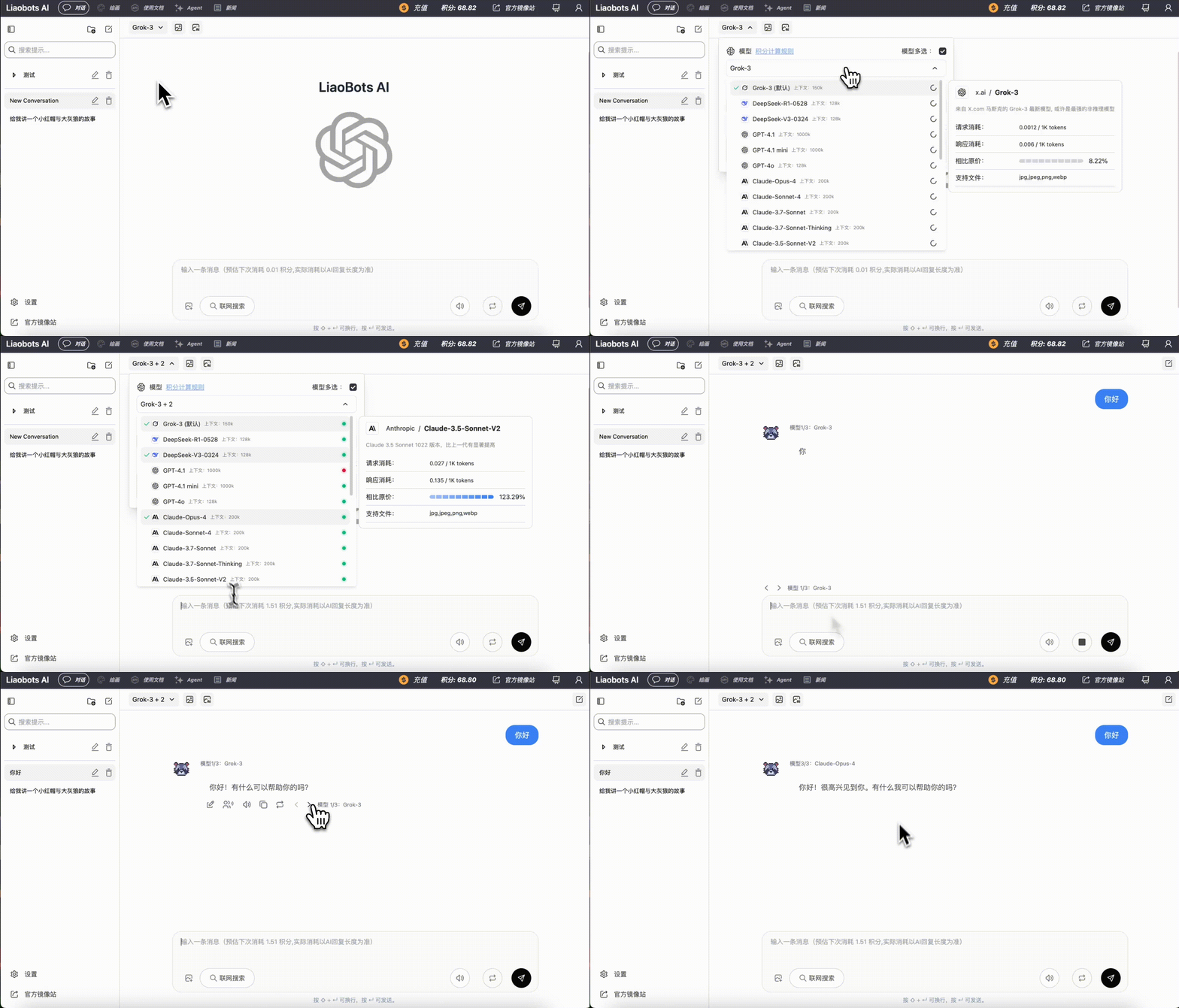
 ### Multi-Model Selection
After clicking this button, you can select up to 5 models at the same time and request their replies simultaneously
Choose the one you're most satisfied with!
### Multi-Model Selection
After clicking this button, you can select up to 5 models at the same time and request their replies simultaneously
Choose the one you're most satisfied with!