> ## Documentation Index
> Fetch the complete documentation index at: https://liaobots.mintlify.site/llms.txt
> Use this file to discover all available pages before exploring further.
# Integrate SillyTavern
 ## Preparation
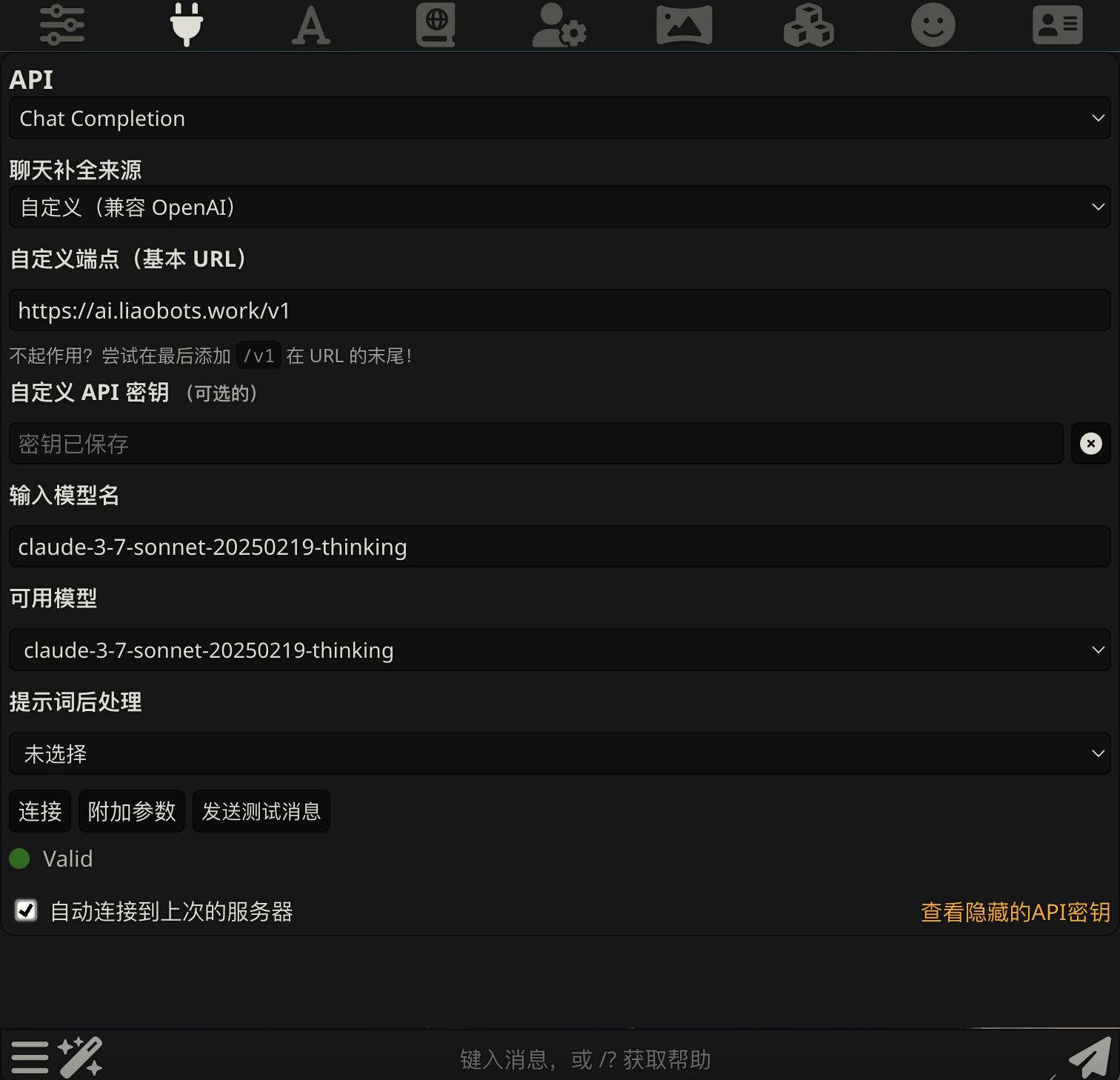
> `Custom Endpoint`:[https://ai.liaobots.work/v1](https://ai.liaobots.work/v1)
>
> `Custom API Key`:Your Login Code
>
> `Model Name`:Find the model name you need to call in [Models & Pricing](/Aggregation/Model-Price.mdx) and copy it
## Process
Click the plug icon at the top and fill in `Custom Endpoint`, `Custom API Key`, `Model Name`
Click the `Connect` button in the bottom left corner, then click `Send Test Message`
## Preparation
> `Custom Endpoint`:[https://ai.liaobots.work/v1](https://ai.liaobots.work/v1)
>
> `Custom API Key`:Your Login Code
>
> `Model Name`:Find the model name you need to call in [Models & Pricing](/Aggregation/Model-Price.mdx) and copy it
## Process
Click the plug icon at the top and fill in `Custom Endpoint`, `Custom API Key`, `Model Name`
Click the `Connect` button in the bottom left corner, then click `Send Test Message`